Showing posts with label Windows 10. Show all posts

Telegram brings its Win32 or desktop app to Windows Store and its brilliant


Telegram


After releasing a refreshed app for Windows Phone with new Windows 10 design few days ago, Telegram is back with another good news. The classic win32 app is now downloadable from the Windows Store. That means, easier install/uninstall and faster delivery of updates, new features. All of this has been possible with the Desktop App Converter tool.


And we shouldn’t forget, this move will give Telegram access to the hundreds, if not thousands, of Windows 10 APIs to light up features like Live tiles, Cortana integration, interactive toasts etc.
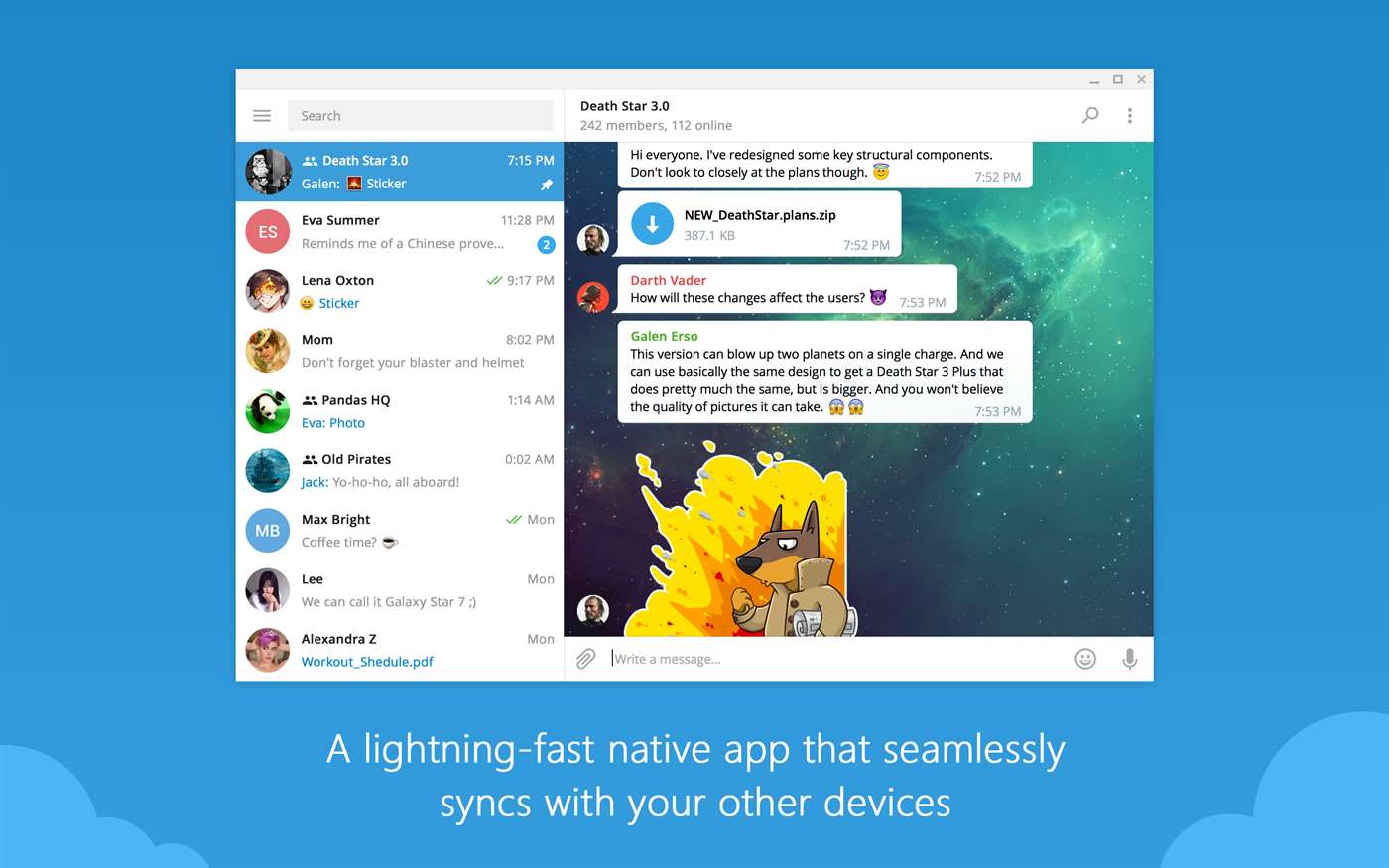
Telegram Desktop


Telegram Desktop


Here are some of the major highlights of the Telegram Desktop app;


  • Fast: Telegram is the fastest messaging app on the market because it uses a distributed infrastructure with data centers positioned around the globe to connect users to the closest possible server.

  • Secure: We made it our mission to provide the best security among mass messengers. Telegram heavily encrypts all your data with time-tested algorithms.

  • Cloud Storage: Telegram seamlessly syncs across all your devices, so you can always securely access your data. Your message history is stored for free in the Telegram cloud. Never lose your data again!

  • Group Chat & Sharing: With Telegram, you can form large group chats of up to 200 members, send broadcasts to up to 100 contacts at a time, quickly share large videos, documents (.doc, .ppt, .zip, etc.), and send an unlimited amount of photos to your friends.

  • Reliable: Built to deliver your messages in the minimum bytes possible, Telegram is the most reliable messaging system ever made. It works even on the weakest mobile connections.

  • 100% free and no ads: Telegram is free and will always be free. We are not going to sell ads or introduce subscription fees.

  • Privacy: We take your privacy seriously and will never give third parties access to your data.

You can download the app from the Windows Store by following the link below.


Netflix brings offline viewing to Windows 10 PCs and tablets


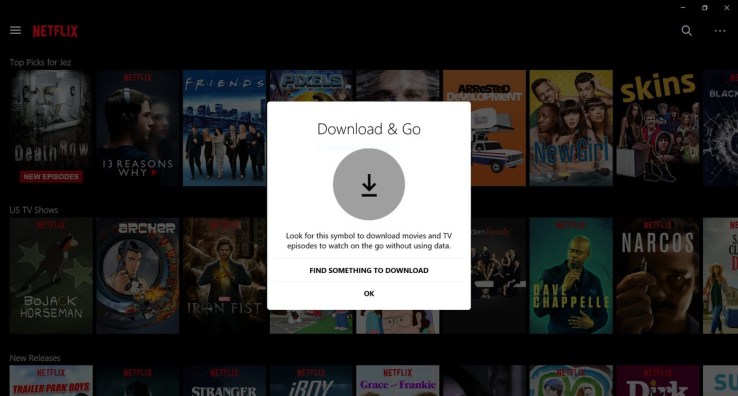
Netflix added support for offline viewing on iOS and Android late last year, and today it’s bringing the same feature to Windows 10, with the exception of Windows 10 mobile devices. Arriving now in the updated Windows 10 application, a subset of the Netflix catalog can be downloaded to your PC or tablet computer, in order to be viewed when a network connection is not available – such as when traveling.


The addition was spotted earlier today by MSPoweruser, an unofficial source for Microsoft and Windows news.


A spokesperson for Netflix confirmed the feature saying, ” Today, the Netflix app will support the downloading feature on Windows 10 laptops and tablets. We are constantly exploring new ways to make this feature available to more members and make it easier for more people to enjoy Netflix on the go.”


Similar to the launch on iOS and Android mobile devices, offline viewing is not available for just any title on Netflix, due to rights issues. Instead, the feature is limited to a mix of Netflix Originals and select licensed content.


However, because of Netflix’s vast selection of its own programming, that still means there are a lot of shows and specials that can be downloaded locally, including popular programs like Stranger Things, House of Cards, Orange is the New Black, Narcos, The Crown, Bloodline, Sense8, and many others, as well as a number of specials, like live standup comedy specials, as well as documentaries and other Netflix films, for instance.


This offline catalog remains consistent regardless of device – iOS, Android or Windows 10 – but it may vary slightly by region, depending on licensing restrictions.


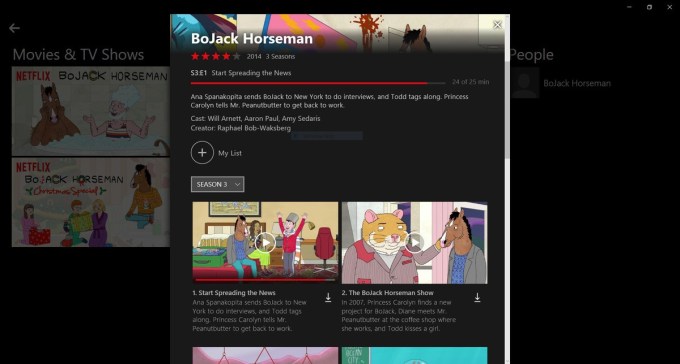
Downloading content is not difficult – in the updated app, you just tap the down arrow next to the show, movie or episode you want to watch to save it to your Windows 10 device. You can also browse for things that can be downloaded through the new section in the app, “Available for Download,” via the menu. Here, another tab called “My Downloads” will let you manage that content.


The feature is now available to users worldwide, Netflix also confirmed.


We should note that there are a few reports from early adopters that downloads are not working properly for them. When they try to download content on a supported device, they’re getting a “download error” message saying “there was a problem.” (Netflix says it’s looking into this problem, and we’ll update if it determines the issue or offers a solution.)


The Windows 10 app is available on the official Microsoft Store, here.


Image credits: Windows Central

Puzzle based adventure game, Thimbleweed Park now available on Xbox One


Thimbleweed Park


Puzzle based adventure game, Thimbleweed Park is now available on Xbox One.


Thimbleweed Park welcomes you to a haunted hotel, an abandoned circus, a burnt-out pillow factory, a dead body pixelating under the bridge, toilets that run on vacuum tubes… you’ve never visited a place like this before.


You as a player among 4 other people with nothing in common have been drawn to the rundown, forgotten town. You don’t know it but you are all deeply connected and are being watched, too.


Xbox Game Launch Trailer


[embedded content]


  • Who is Agent Ray really working for and will she get what they want?

  • What does Junior Agent Reyes know about a 20 year old factory fire that he’s not saying?

  • Will the ghost, Franklin, get to speak to his daughter again?

  • Will Ransome the *Beeping* Clown ever become a decent human being?

  • Will aspiring game developer Delores abandon her dreams and stick by her family?

  • And most importantly: how come no one cares about that dead body?

By the end of a long, strange night in Thimbleweed Park, all of this will be answered — and you’ll question everything you thought you knew.


In a town like Thimbleweed Park, a dead body is the least of your problems.


The game is soon coming to Windows 10 PC as an Xbox Play Anywhere title, which means if you decide to purchase on Xbox One today, you can play the game on your PC later on release, at no additional cost.


Source


First Creators Update CU Build 15063.11 (KB4016250) now rolling out. Changelog


Build 15042


Microsoft has announced the very first cumulative update for Windows 10 Creators Update. CU KB4016250 is rolling out to insiders in all rings and brings Windows 10 Build 15063.11 over the RTM Build 15063. You can read the full changelog below.


Windows 10 Build 15063.11 Changelog:


Today we are releasing a Cumulative Update Build 15063.11 (KB4016250) for PC to Windows Insiders in all rings. This Cumulative Update brings the following fixes:


  • We fixed an issue where on Surface devices, Bluetooth radio fails to re-enumerate during hibernate/resume.

  • We fixed an issue with McAfee Enterprise to prevent a system crash when the product driver is installed on build 15060 configured with Device Guard.

As you may know Windows 10 Creators update will be officially rolling out to non-insiders starting April 11. You can read the full detailed changelog for Windows 10 Creators Update by clicking here.